
Aesthetic Girl Photo Collage Prompt: Create a Dreamy Vintage Portrait
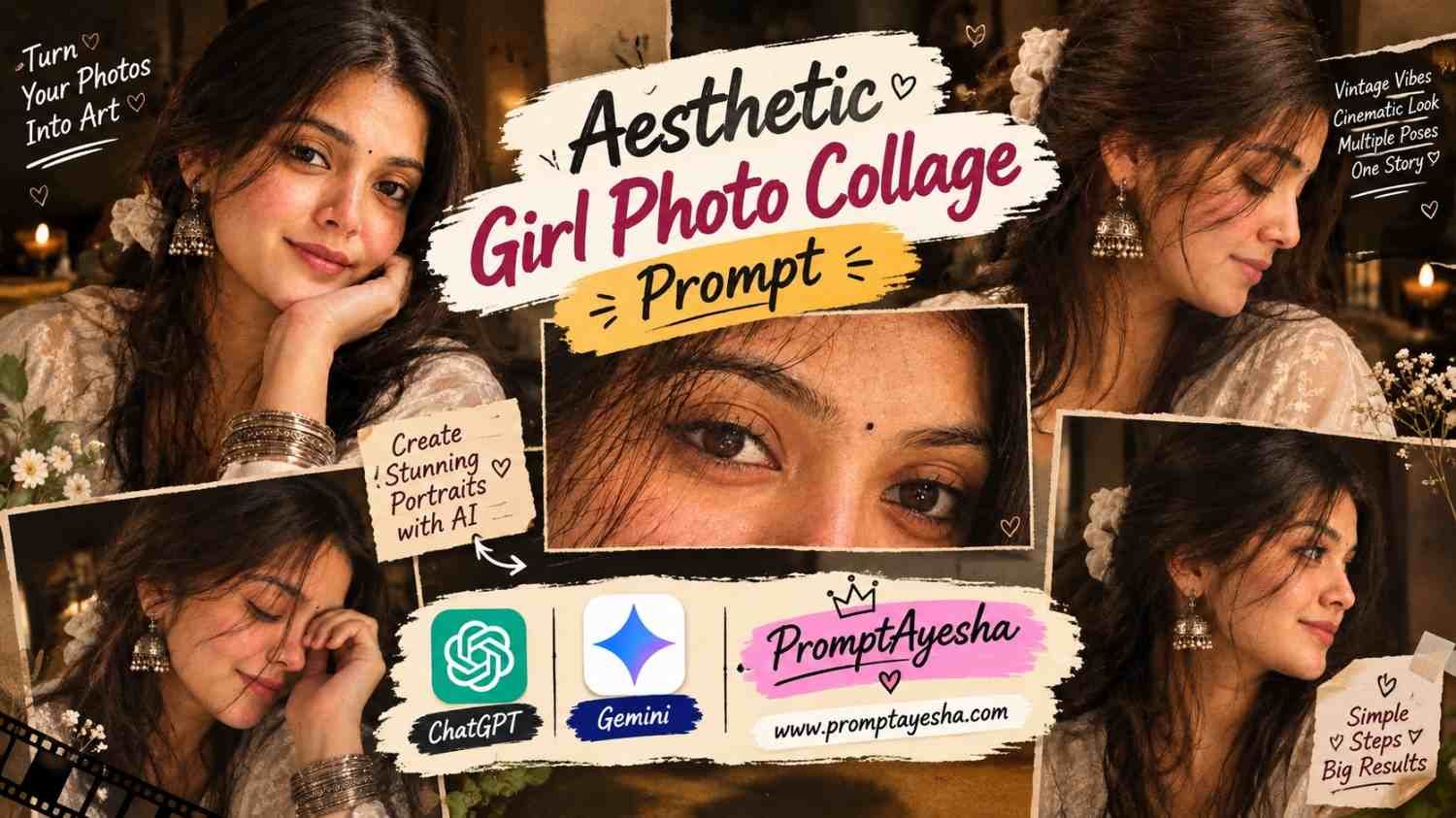
Featured image for: Aesthetic Girl Photo Collage Prompt: Create a Dreamy Vintage Portrait
An Aesthetic Girl Photo Collage Prompt can help you turn a simple portrait into a beautiful collection of cinematic photographs with warm lighting, expressive close-ups, and a nostalgic vintage mood. If you enjoy soft brown tones, natural expressions, traditional jewellery, and creative photo layouts, this style offers an interesting way to give your pictures a personal touch. You can use an ai prompt with a compatible image-generation tool to experiment with different poses, lighting effects, and collage arrangements.
Instead of creating just one ordinary portrait, this concept brings together several moments of the same character in a single editorial-style composition. The result can look like a collection of photographs from a personal diary, a vintage magazine, or a carefully designed photography journal.
What Makes This Aesthetic Girl Photo Collage Prompt Special?
The charm of this collage comes from its combination of warm colours, subtle emotions, and multiple photographic angles. Each frame tells a slightly different part of the visual story while maintaining a consistent appearance.
The main visual elements include:
- Warm golden-brown lighting: Creates a cosy, nostalgic atmosphere.
- Multiple portrait frames: Combines front-facing portraits, side profiles, and close-up details.
- Traditional accessories: Oxidized silver jhumkas, stacked bangles, and a white scrunchie add character.
- Natural expressions: Gentle smiles, closed eyes, and thoughtful side glances make the portraits feel candid.
- Vintage colour grading: Soft shadows and muted highlights create a film-inspired appearance.
- Detailed textures: Natural-looking skin, embroidered fabric, and individual hair strands help the images feel more photographic.
The goal is not to make every frame identical. Small differences in expression and camera angle give the collage a more natural and personal feel.
Copy-Paste Aesthetic Girl Photo Collage Prompt
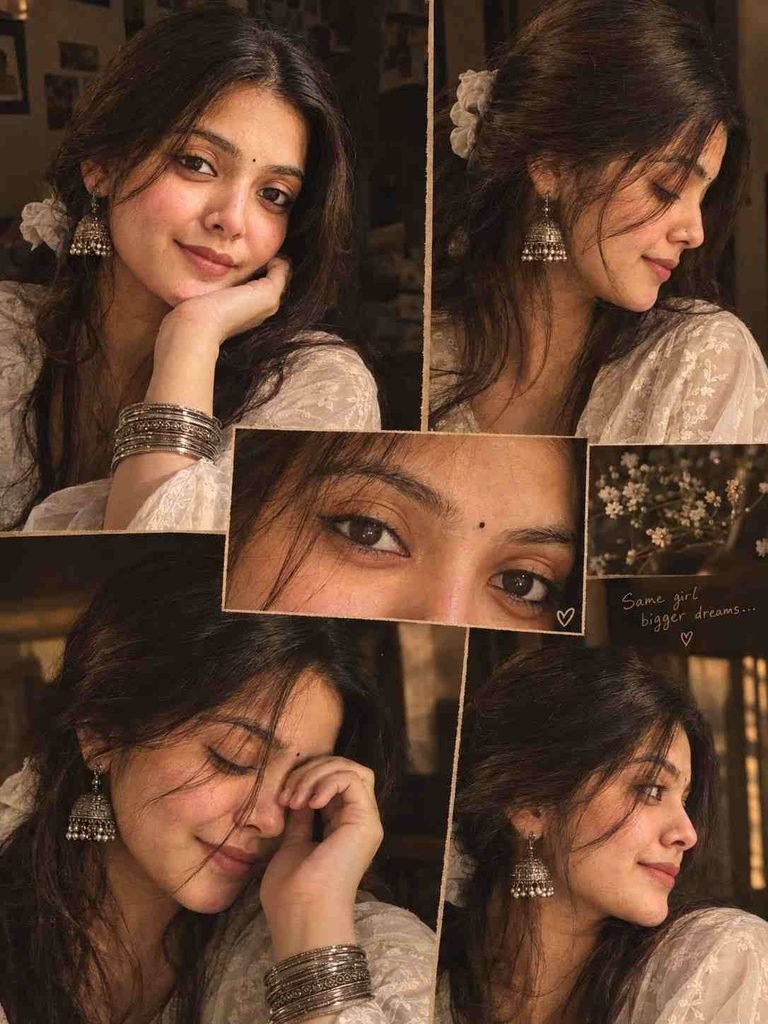
Use the following prompt as a starting point in an image-generation tool. Upload a suitable reference photograph if you want the generated subject to resemble a particular person.
Main Prompt:
How to Get Better Results From the Prompt
The quality of a collage depends on more than the number of details in the description. A few practical adjustments can make a noticeable difference.
1. Keep the visual identity consistent. If your image tool supports reference images, use the same reference photograph and clearly request consistent facial features across all frames. AI tools may still produce small variations, so review the result before publishing it.
2. Describe each frame separately. Rather than asking for several random poses, specify the purpose of every frame. For example, use one frame for the main portrait, one for a side profile, and another for an eye close-up.
3. Control the colour palette. Warm brown, muted beige, cream, and charcoal work well together for a vintage appearance. Too many unrelated colours can make the collage look less cohesive.
4. Check the small details. Earrings, bangles, hair accessories, and embroidery are important to this style. If these details look inconsistent, regenerate the image or make a targeted edit.
How to Customize the Collage for Different Moods
One useful feature of this style is that you can adapt it without rebuilding the entire concept.
| Style | What to change | Expected visual mood |
|---|---|---|
| Vintage diary | Add subtle film grain and faded brown tones | Nostalgic and intimate |
| Soft romantic | Use gentle light, cream colours, and relaxed expressions | Warm and delicate |
| Traditional portrait | Emphasize embroidered clothing and silver jewellery | Elegant and cultural |
| Cinematic close-up | Focus on eyes, facial details, and deeper shadows | Dramatic and expressive |
| Minimal editorial | Reduce decorative elements and simplify the layout | Clean and sophisticated |
For a more personalised result, change one or two elements at a time. This makes it easier to identify which adjustments actually improve the final image.
Create Your Own Version Using Gemini or ChatGPT
A compatible gemini prompt can be used to explore different compositions, colour treatments, and portrait arrangements. Depending on the tool and its available features, you may be able to upload a reference photograph and refine the result through follow-up instructions.
You can also adapt the description into a chatgpt prompt for supported image-generation workflows. Ask for specific changes, such as making the eye close-up more prominent, reducing the number of collage frames, or softening the background. Always check the generated image because facial consistency and small accessories may not render perfectly.
If you plan to share the finished collage publicly, use photographs you have permission to edit and avoid presenting an AI-generated image as an unedited real photograph.
Common Problems and How to Fix Them
Even a detailed prompt may need a few attempts. Here are some common issues and practical ways to address them.
- Different faces in each frame: Clearly state that every panel should show the same person. If the tool supports identity or reference-image controls, use them.
- Jewellery changes between panels: Repeat the essential jewellery details in the instructions and simplify accessories that keep changing unexpectedly.
- The collage looks too dark: Ask for brighter facial exposure, softer shadows, and a slightly lighter background while retaining warm colour grading.
- The skin looks artificial: Request visible natural skin texture, subtle imperfections, and minimal retouching.
- The layout feels crowded: Reduce the number of frames and leave more breathing room around the main portrait. A clean arrangement often looks more polished than a collage with too many small images.
- The output has unwanted writing: Include a clear instruction to exclude text, logos, and watermarks. If text still appears, regenerate the image or remove the unwanted elements with an appropriate editor.
Tips for Publishing AI Photo Collages on a Blog
If you are publishing this type of content on a website, consider the reader’s experience as well as the visual result.
- Show a relevant preview image so readers understand the intended style.
- Explain how to use the prompt and what each section controls.
- Include troubleshooting advice instead of publishing only a block of prompt text.
- Add descriptive image alt text, such as “Warm vintage South Asian portrait collage with silver jhumka earrings.”
- Use original screenshots or examples when available and when you have permission to share them.
- Compress images appropriately so the page loads quickly.
- Make sure the article answers a real question and offers value beyond content that can be found on many similar prompt websites.
These improvements can make an article more helpful, but no specific format or number of words guarantees AdSense approval. Google reviews the overall website, including originality, usefulness, navigation, and policy compliance.
Final Thoughts
A well-planned portrait collage can turn a simple photography idea into a more expressive visual project. The key is to balance different poses with consistent styling, natural facial details, and a clear colour palette rather than adding as many effects as possible.
Experiment with the prompt, compare a few variations, and keep the version that best matches your creative vision. On Prompt Ayesha, the aim should be to help readers understand not only which prompt to copy, but also how to adapt it, correct common errors, and create something that feels personal rather than repetitive.
Complete Step-by-Step Editing Workflow
- Copy the prompt or preset code using the dedicated copy button above.
- Open your editing tool: Use your preferred AI image or video editing tool.
- Personalize the variables: Adjust the background, clothing, lighting, pose or mood according to your requirements.
- Generate & refine: Generate the image and make additional changes if required.
- Export: Save the final high-quality image for your social media platform.
Prompt Ayesha
The Prompt Ayesha curates practical AI prompts, photo-editing resources, video-editing ideas, and creator-focused tutorials designed to help readers create and edit digital content.
All Trending VN Code Templates 2026 – Prompt Ayesha
Black and White Couple iPhone Wallpaper Prompt for a Romantic Lock Screen
You Might Also LikeMore in AI Prompt
New Instagram Filter Unlocked: Create a Cinematic Navratri Photo with AI
October 15, 2026
Black and White Couple iPhone Wallpaper Prompt for a Romantic Lock Screen
October 13, 2026