Prompt Ayesha Anime Cartoon Photo Editing Prompt 2026
Featured image for: Prompt Ayesha Anime Cartoon Photo Editing Prompt 2026
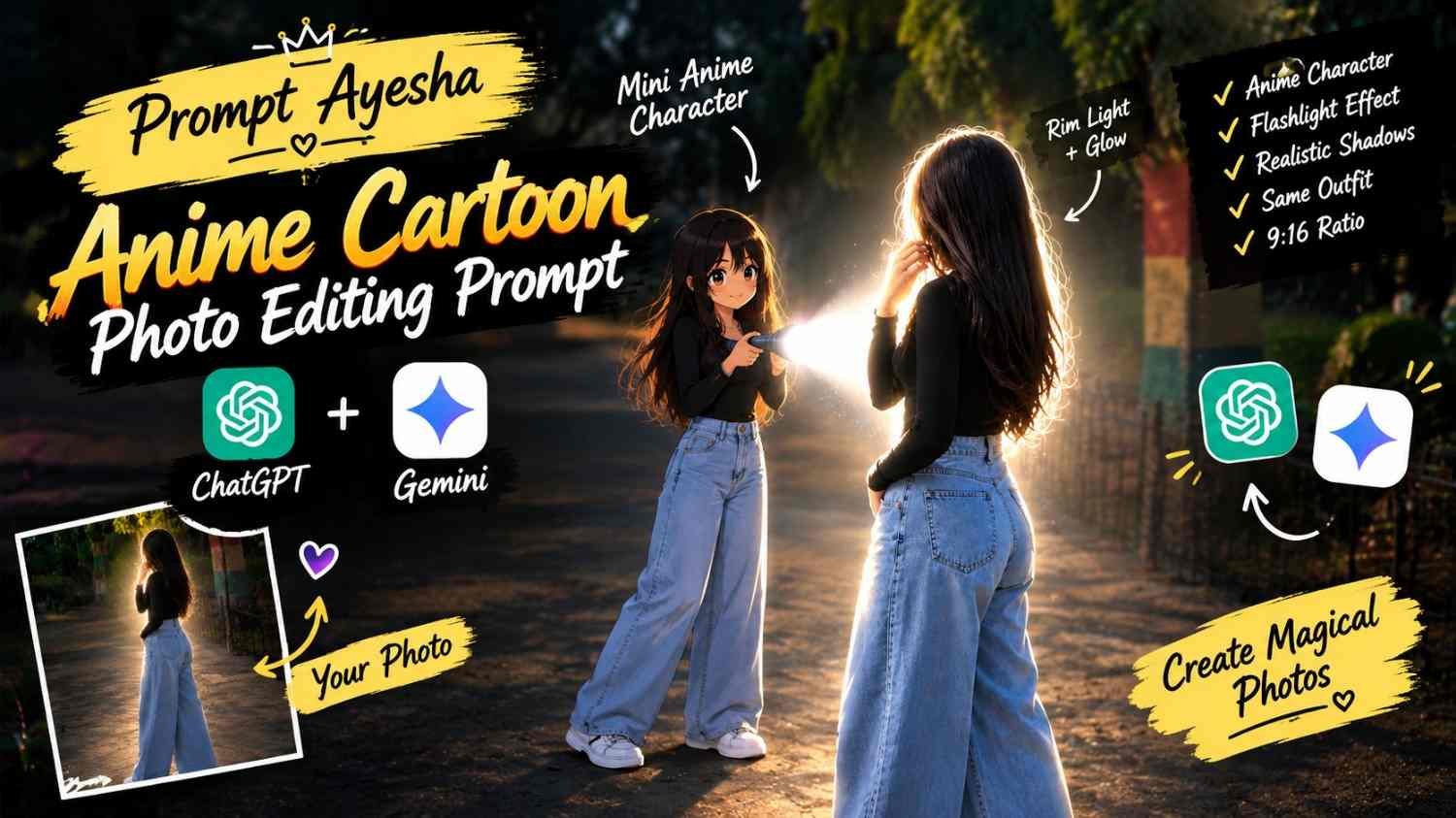
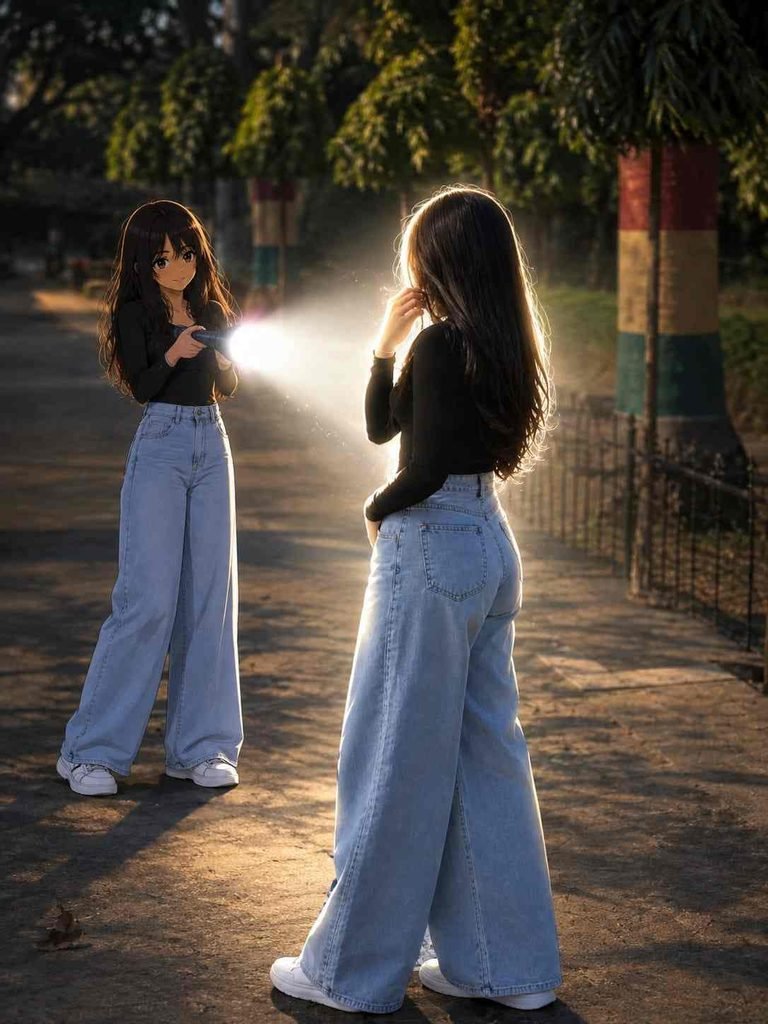
Want to add a small anime version of yourself into a realistic photograph without turning the entire image into a cartoon? This Gemini prompt creates a creative mixed-reality effect where the original photograph stays realistic while a miniature anime/cartoon version of the main subject appears behind them.
The anime character is designed to match the original person’s hairstyle, clothing, accessories and recognizable details. It then holds a flashlight toward the real subject, creating a strong white beam, bright rim lighting and dramatic shadows.
The combination of realistic photography and clean modern anime styling gives the image a unique cinematic appearance.
Real Person + Mini Anime Character
The main concept behind this photo edit is to combine two different visual styles in a single scene.
The original person remains realistic, while a smaller anime/cartoon version of the same person appears directly behind them.
The miniature character should retain recognizable elements from the original subject, including:
- Hairstyle
- Outfit
- Clothing colors
- Accessories
- Overall appearance
- Important recognizable details
This makes the anime character feel like a stylized miniature version of the person already present in the photograph.
Modern Anime Character Design
The anime version should use a clean and modern anime aesthetic rather than a generic cartoon appearance.
The requested visual characteristics include:
- Sharp linework
- Slightly oversized head
- Compact body proportions
- Cel shading
- Expressive facial details
- Clean anime styling
- Matching hairstyle
- Matching outfit and colors
These details help the miniature character stand out while still looking visually connected to the real subject.
Flashlight Beam Effect
The flashlight is the most dramatic part of the concept.
The miniature anime character stands behind the real subject and points a flashlight toward their back.
The resulting beam should appear as a strong, realistic white light that illuminates the subject from behind.
The effect should include:
- Bright white beam
- Strong rim light
- Subtle glow
- Natural shadows
- Realistic light falloff
- Bright highlights around the subject
The goal is to make the flashlight effect interact naturally with the existing environment instead of appearing like a simple digital overlay.
Exact Photo Editing Prompt
Use the following prompt exactly:
Transform the main subject into a small full-body anime/cartoon version of themselves, matching their hairstyle, outfit, accessories, colors, and recognizable details. Use the reference’s clean modern anime aesthetic sharp linework slightly oversized head, compact proportions, cel shading, and expressive details. Position the anime character directly behind the real subject, holding a flashlight aimed forward at their back. Create an intense realistic white beam that fully illuminates the subject from behind, producing bright rim light, glow, and natural shadows. Dim the surrounding outdoor light for dramatic contrast. Preserve the original scene, camera angle, composition, and realism.
Preserve the Original Photograph
One of the most important instructions in this AI prompt is to preserve the original scene.
The edit should not completely replace the background or change the camera perspective. The original:
- Scene
- Camera angle
- Composition
- Environment
- Subject positioning
- Overall realism
should remain intact.
Only the requested anime character and lighting effect should be added to the photograph.
This helps create the impression that the miniature character was actually present when the photograph was taken.
Dramatic Outdoor Lighting
The surrounding outdoor light is intentionally reduced to make the flashlight stand out.
The anime character’s flashlight becomes the primary dramatic light source, producing a bright white beam against the darker environment.
The real subject should receive believable illumination from behind, including a subtle glowing edge around the body and clothing.
Natural shadows should remain visible so that the lighting doesn’t look artificially pasted onto the image.
Why the Anime Character Works
The contrast between the real person and their miniature anime version creates the main visual hook.
Instead of converting the complete photograph into an anime scene, only the smaller duplicate character receives the stylized treatment.
This keeps the original photograph recognizable while adding a creative fantasy element.
It can work especially well for social-media posts because the unusual combination of realistic photography and anime styling immediately gives the image a distinctive appearance.
How to Get a Better Result
For a stronger edit, use a clear reference photograph where the main subject’s outfit and hairstyle are easy to identify.
A few useful tips:
- Use a high-resolution original image.
- Make sure the subject is clearly visible.
- Keep the outfit details unobstructed.
- Use a photo with enough background space for the miniature character.
- Keep the anime character directly behind the subject.
- Match the character’s clothing colors with the original.
- Keep the flashlight beam realistic.
- Avoid excessive glow.
- Preserve the original camera perspective.
- Keep the surrounding environment photographic.
The better the original reference image, the easier it is for the model to maintain the visual relationship between the real subject and the anime version.
Realistic Lighting Makes the Edit Better
The anime character itself can have stylized linework and cel shading, but the flashlight beam should interact realistically with the photographic scene.
This contrast is what makes the concept interesting.
The beam should illuminate the real subject from behind, creating a bright edge around the silhouette. The surrounding environment can become slightly darker so that the light source remains visually prominent.
The final image should still look like a photograph with an anime character added into the scene rather than an entirely animated frame.
Using ChatGPT for Similar Photo Edits
A ChatGPT prompt can follow the same structure for similar mixed-reality edits. Start by defining what should remain unchanged in the original photograph, then describe the new character or visual element that needs to be added.
You can also replace the flashlight concept with other creative effects, such as a glowing object, miniature character, hologram or fantasy light source while keeping the original scene realistic.
Creative Variations
Once the basic concept works, you can experiment with different versions.
For example:
- Mini anime character holding a lantern
- Tiny cartoon version holding a camera
- Anime character creating a glowing light effect
- Mini character standing beside the subject
- Small anime character pointing a laser-like light
- Anime version holding an umbrella
- Mini character appearing from behind a wall
The important part is to keep the original scene and camera composition consistent.
Final Thoughts
The combination of a realistic photograph and a miniature anime version of the same person creates a fun mixed-reality effect. The matching hairstyle, outfit and accessories help connect both versions, while the flashlight introduces a dramatic lighting element.
The strong white beam, rim light, natural shadows and darker surroundings can make the final image feel cinematic without sacrificing the realism of the original photograph.
For more creative photo-editing concepts and ready-to-use image prompts, Prompt Ayesha and Prompt Replica brings together different ideas for realistic portraits, anime transformations, cinematic edits and social-media-friendly visuals.
Complete Step-by-Step Editing Workflow
- Copy the prompt or preset code using the dedicated copy button above.
- Open your editing tool: Use your preferred AI image or video editing tool.
- Personalize the variables: Adjust the background, clothing, lighting, pose or mood according to your requirements.
- Generate & refine: Generate the image and make additional changes if required.
- Export: Save the final high-quality image for your social media platform.
Prompt Ayesha
The Prompt Ayesha curates practical AI prompts, photo-editing resources, video-editing ideas, and creator-focused tutorials designed to help readers create and edit digital content.