Trending Eyes Close-Up Prompt for Boys 👀
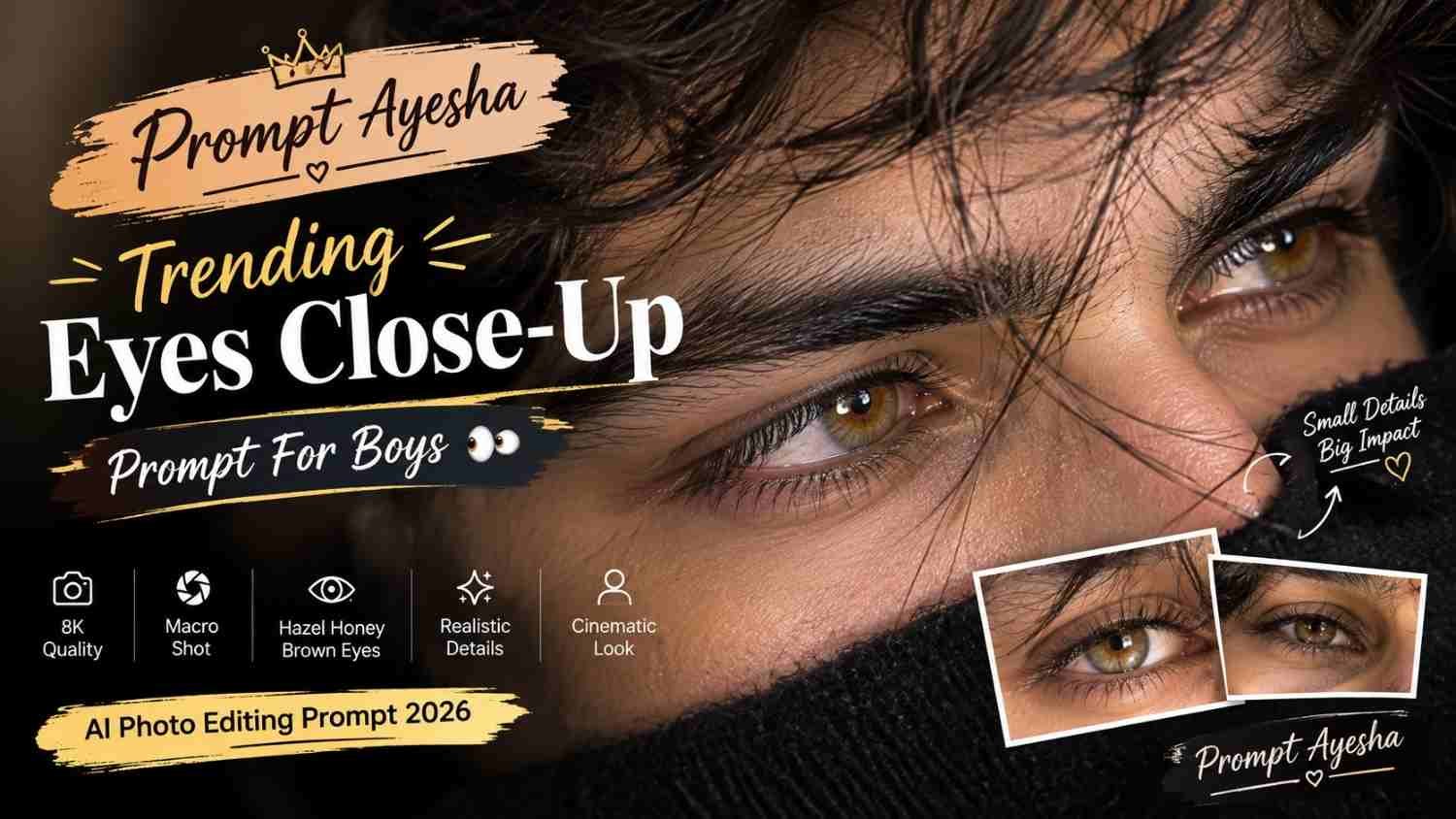
Featured image for: Trending Eyes Close-Up Prompt for Boys 👀
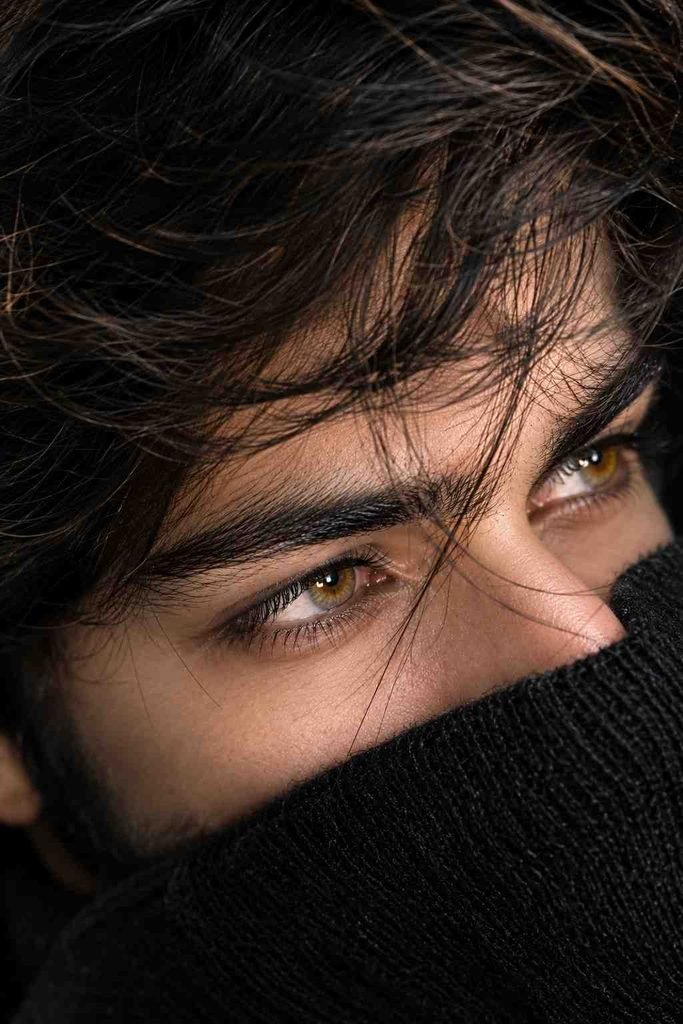
Looking for a portrait idea that focuses completely on the eyes and facial details? This Gemini prompt is designed to create an ultra-realistic extreme close-up portrait with detailed hazel honey-brown eyes, visible iris texture, natural skin pores and cinematic lighting.
Instead of showing the entire face, the concept brings the eyes into focus using a macro photography style. A few loose strands of hair naturally crossing the eyes add an effortless and realistic appearance to the portrait.
The result is designed to resemble a luxury beauty photograph captured with a professional DSLR macro lens.
What Makes This Eyes Close-Up Prompt Different?
The main focus of this concept is the eyes. The prompt asks for a 3/4 side-angle composition while keeping both eyes clearly visible.
The hazel honey-brown eye color is combined with crystal-clear catchlights and detailed iris texture. These small details can make the eyes appear much more realistic and dimensional.
Subtle kajal is also included, adding definition around the eyes without making the makeup look excessive.
Another important element is natural skin texture. Instead of creating completely smooth artificial skin, the prompt specifically asks for visible pores and realistic details.
Exact Eyes Close-Up Prompt
Copy the following prompt as it is:
Ultra-realistic extreme close-up macro portrait of the same person, 3/4 side angle, focus on both eyes, a few soft hair strands naturally crossing the eyes, hazel honey brown eyes with crystal-clear catchlights, detailed iris texture, subtle kajal, natural skin pores, flawless realistic skin, loose hair, cinematic studio lighting, 100mm DSLR macro lens, shallow depth of field, luxury beauty photography, hyper-realistic, 8K.
This prompt is especially useful when you want the eyes to become the main visual element rather than creating a conventional full-face portrait.
How the Macro Photography Effect Works
A macro-style portrait creates an extremely close composition where small details become more noticeable.
The reference to a 100mm DSLR macro lens helps establish the intended photography style. Combined with shallow depth of field, the eyes can remain sharply detailed while surrounding areas gradually become softer.
The crystal-clear catchlights are another important detail. They can give the eyes a natural reflection and help prevent them from appearing flat or artificial.
The soft hair strands crossing the eyes also introduce a candid element to the composition.
Realistic Skin and Eye Details
A major part of a convincing close-up portrait is realistic skin texture. The prompt specifically mentions natural skin pores, which helps maintain small facial details instead of creating an overly smooth appearance.
The iris should contain visible patterns and subtle color variation. Hazel honey-brown eyes can include a mixture of warm brown and golden tones while still looking natural.
The goal is to create a photograph that resembles a professionally captured beauty portrait rather than an illustration or cartoon.
Tips for Better Results
If you’re using an AI prompt for this style, a good reference image can make a noticeable difference when you want to preserve the same person’s appearance.
For better results:
- Use a clear, high-resolution reference image.
- Make sure both eyes are visible.
- Avoid heavily filtered reference photos.
- Keep the face well lit.
- Use a natural hairstyle.
- Maintain realistic skin texture.
- Keep the eyes sharp and detailed.
- Avoid excessive eye enlargement.
- Keep the hair strands subtle and natural.
- Maintain the shallow-depth-of-field effect.
If the image generator changes the eye color, you can regenerate while emphasizing the requested hazel honey-brown shade.
Why This Prompt Works for Boys
Close-up eye portraits are useful when you want a different style from the usual full-body or traditional selfie edits.
The composition works particularly well for profile pictures, Instagram posts, wallpapers, mood-board images and creative social-media content.
Because most of the frame is occupied by the eyes and surrounding facial area, even small details such as eyelashes, iris patterns, catchlights and hair strands become important parts of the final image.
Using ChatGPT for Similar Eye Portraits
A ChatGPT prompt can also be used to experiment with variations of this concept. You can keep the macro photography approach while changing elements such as eye color, lighting, camera angle or background.
For example, you could experiment with warm studio lighting, cooler cinematic lighting or a darker background while keeping the eyes sharply focused.
However, it is generally better to change one or two visual elements at a time so the core composition remains consistent.
Ideas to Customize the Prompt
Once you have created the basic portrait, you can experiment with different variations.
You could change the eye color to green, dark brown or blue, modify the hairstyle, introduce a soft colored background or use a more dramatic cinematic light.
You can also try a slightly different camera angle while maintaining the extreme close-up composition.
For social-media content, a vertical format can be useful because it gives the eyes more visual presence on mobile screens.
Final Thoughts
This trending eyes close-up concept is built around detailed macro photography, realistic skin texture and expressive eyes. The combination of hazel honey-brown irises, natural catchlights, soft hair strands and cinematic studio lighting creates a premium portrait aesthetic.
If you’re looking for more creative and ready-to-use image-generation ideas, Prompt Ayesha offers different photo prompt concepts covering portraits, fashion, cinematic edits and social-media visuals.
For the most realistic result, use a clear reference image and avoid excessive filters. The smaller details—especially the iris texture, catchlights, skin pores and natural hair—are what give this close-up portrait its photographic appearance.
Complete Step-by-Step Editing Workflow
- Copy the prompt or preset code using the dedicated copy button above.
- Open your editing tool: Use your preferred AI image or video editing tool.
- Personalize the variables: Adjust the background, clothing, lighting, pose or mood according to your requirements.
- Generate & refine: Generate the image and make additional changes if required.
- Export: Save the final high-quality image for your social media platform.
Prompt Ayesha
The Prompt Ayesha curates practical AI prompts, photo-editing resources, video-editing ideas, and creator-focused tutorials designed to help readers create and edit digital content.