
Spontaneous 9:16 Disposable Film Photo Prompt for AI Images
Featured image for: Spontaneous 9:16 Disposable Film Photo Prompt for AI Images
Sometimes the beautiful photos are the ones that don’t look like they were carefully planned.
A little motion blur, a direct flash, natural skin texture, messy hair and the grain of an old disposable camera can make an image feel real. It feels personal. It feels like a moment caught in time.
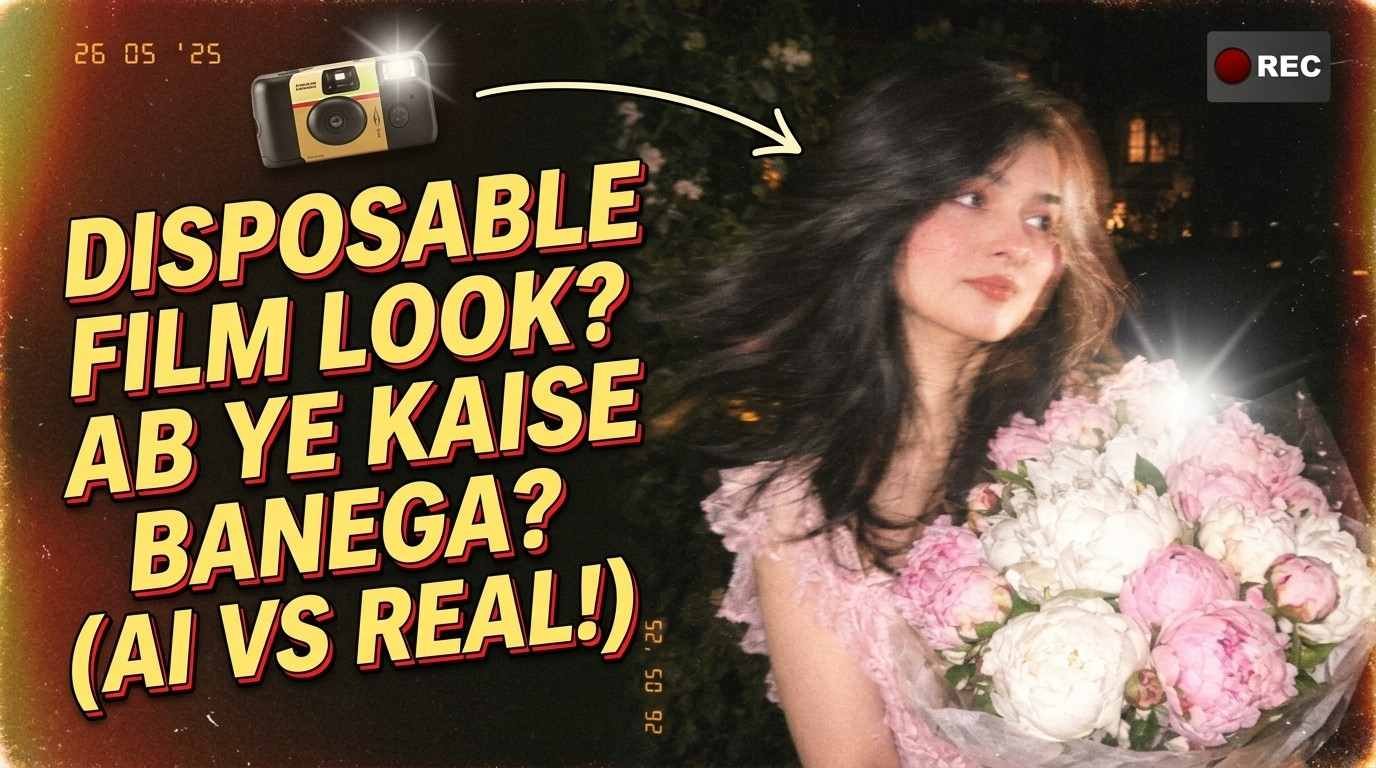
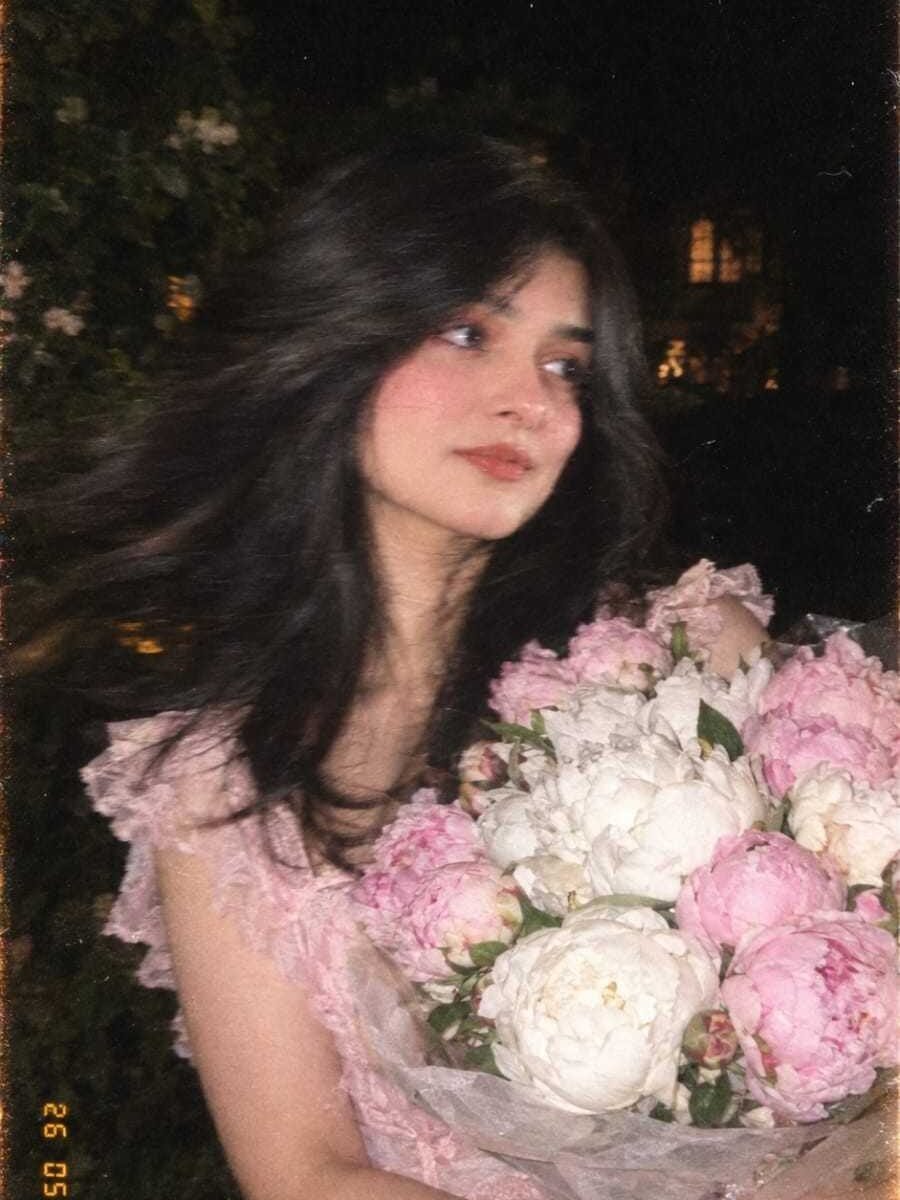
This prompt is built for that kind of vintage look. It captures a girl standing in a garden holding a big bouquet of pink and white peonies. She isn’t looking at the camera. Her head is turned slightly to the side a smile on her face. The dark background, light from a window strong flash, film grain and motion blur all work together to create the feel of a spontaneous photo taken on a cheap film camera.
The goal isn’t perfection. It’s authenticity. It’s about making the image feel like it was found in a photo album—taken quickly maybe in the evening by accident and saved because it felt true.
What sets this style apart?
Disposable film photography has become popular because it looks real. It shows flaws—blur, grain, lighting. These are mistakes. They’re part of the charm.
In this concept several elements come together to build that look. The 9:16 vertical format is perfect for Instagram Stories, Reels, Pinterest and phone wallpapers. The dark garden creates a contrast with the girl and her bouquet. The direct flash brightens the subject. Makes her pop against the shadows.
Motion blur is key. The face and hair aren’t perfectly sharp. There’s a movement. It gives the image a feel, like the photo was taken while she was turning her head.
The bouquet is the heart of the image. The large bunch of white peonies adds romance and softness. Their white petals catch the flash. The pink ones add warmth. The contrast with the garden makes them stand out naturally.
The bouquet should feel big—not blocking the girl but still a major part of the scene. Details like flower texture, leaves, wrapping paper and the way her hands hold the bouquet help make it feel real not digital.
Why does motion blur work well?
AI-generated portraits can look clean too perfect. A little blur, in the hair and face tricks the eye into thinking the photo was taken in motion. It feels spontaneous.
The blur must be controlled. The face must stay recognizable. The goal is not to hide the person. It’s to keep their look while adding the feel of a camera photo, not a modern studio shot.
Keeping the Face
One of the most important parts of this prompt is to use the same face.
If you’re using an AI tool that supports reference images upload a photo of the person. Use it as a guide. The idea is to keep the features consistent—same eyes, nose, mouth, jawline—while changing everything else.
The environment, the lighting, the clothes, the style and the photographic look can change.. The face should stay the same.
Avoid adding instructions that might alter the person’s identity. The prompt already gives direction. Let it work.
The Complete Prompt
Here’s the prompt to use:
Tip: If your AI tool allows reference images upload the photo first. Then use this prompt. That helps the system understand which face to keep.
Create a Natural Vintage Look
The phrase “No AI/plastic look” is important. This image shouldn’t look like a smooth AI portrait.
It should have natural skin texture—no over-smoothing. Film grain, soft edges, imperfect lighting and motion blur all add to the vintage feel.
The yellow date stamp is a powerful touch. It makes the photo feel like it was taken years ago on a film camera.
When all these details come together the image feels like a found photograph. It doesn’t look created. It looks real.
Why the Dark Background Matters
A dark garden is key. It’s not a studio. It’s outdoors at night or in the evening.
The black background lets the flash-lit subject stand out. The flowers, the dress, the face—the light hits them. Makes them shine.
The faint warm light from a window adds depth. It gives the scene a glow without pulling focus.
This contrast— surroundings, warm light, pink flowers, light pink dress—creates a cinematic vintage mood.
Getting Results From AI Image Generators
Use a clear reference photo if your tool supports it. A lit image with the face clearly visible helps the AI keep the person’s features.
For results use a vertical reference or crop it to 9:16.
Some tools let you adjust reference strength. A higher strength keeps the face consistent. A lower strength lets the image change more.
Try settings.. Remember—imperfections are part of the style. Grain, blur, flash, edges—they should stay.
Try This Style With Your Photo
This concept works well for profile pictures, social media posts, story covers, mood boards and vintage photo collections.
You can try it in places—backyard, garden, old building, hotel courtyard, street at night. The key is the dark surroundings and a flash-lit subject.
The contrast makes the subject pop.
If you enjoy AI prompts use this as inspiration for other vintage styles. Keep your prompts clear and natural.
For users who prefer ChatGPT you can use this prompt with an image generation feature. Just add the reference photo.
With Google’s tools, like Gemini you can adapt this as a prompt. The result may vary depending on the tool. The idea stays the same.
Final Thoughts
A good vintage photo isn’t perfect.
It’s the blur, the flash, the grain, the soft edges the colors that fade a little. It’s the moment.
This style combines all of that. A girl in a garden. A huge bouquet. A soft smile. A camera that didn’t always work right.
It feels like a memory. Not a photo. A moment.
If you want a portrait that doesn’t look digital, not polished, but real this style is worth trying.
For the best face matching use a reference photo. Keep the prompt exactly as written.
Experiment, with the image only after you get the base look right.
Let the imperfections tell the story.
Complete Step-by-Step Editing Workflow
- Copy the prompt or preset code using the dedicated copy button above.
- Open your editing tool: Use your preferred AI image or video editing tool.
- Personalize the variables: Adjust the background, clothing, lighting, pose or mood according to your requirements.
- Generate & refine: Generate the image and make additional changes if required.
- Export: Save the final high-quality image for your social media platform.
Prompt Ayesha
The Prompt Ayesha curates practical AI prompts, photo-editing resources, video-editing ideas, and creator-focused tutorials designed to help readers create and edit digital content.