
Extreme Macro Woman Portrait Prompt – Warm Aesthetic 9:16 Photo
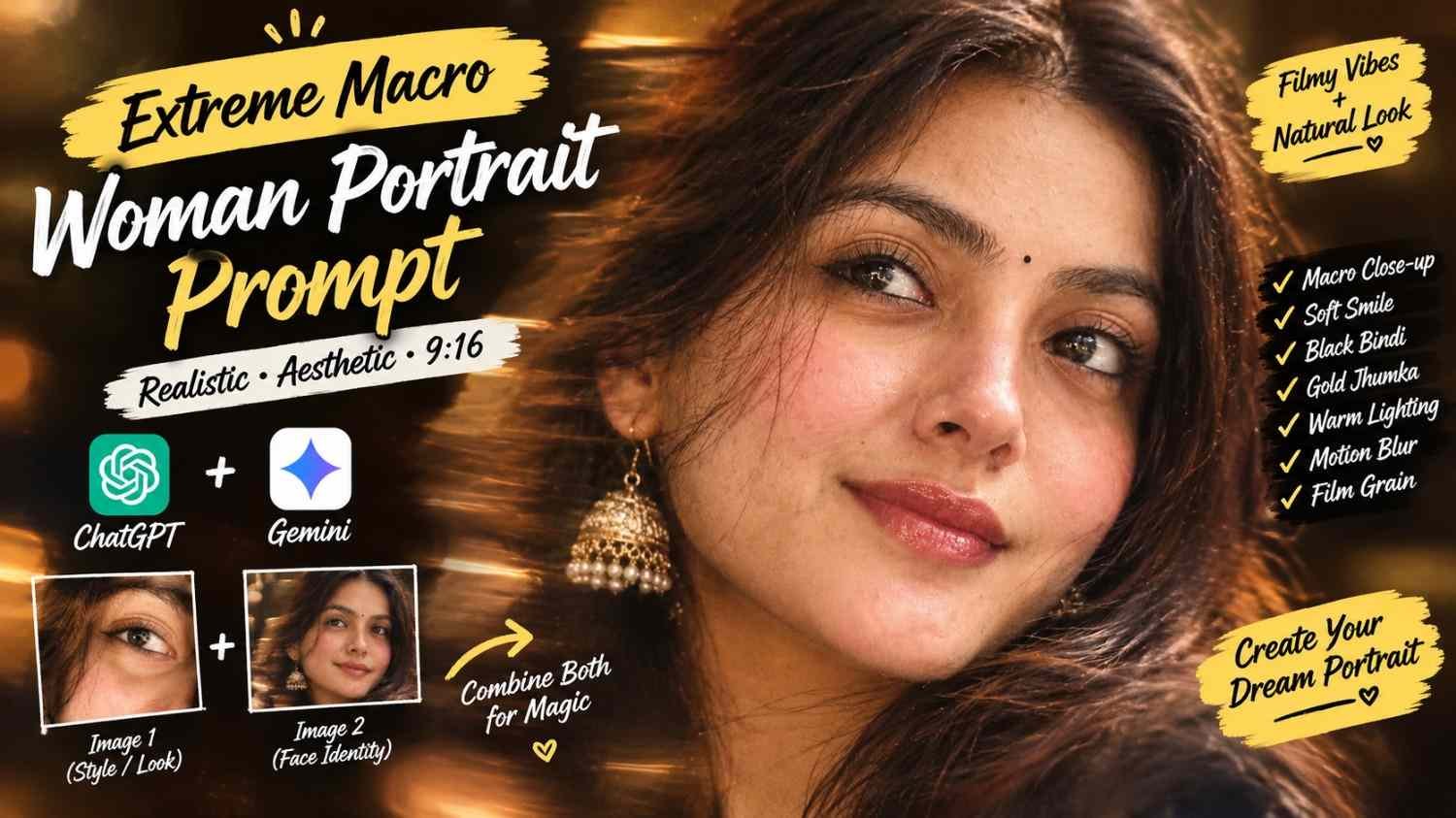
Featured image for: Extreme Macro Woman Portrait Prompt – Warm Aesthetic 9:16 Photo
Want to create a realistic close-up portrait with soft facial details, warm lighting, subtle motion blur, and a beautiful filmy-grain effect? This prompt is designed for an elegant 9:16 portrait that feels like a real photograph rather than an artificial AI image.
The concept focuses on a woman’s natural expression, glossy pink lips, soft blush, a small black bindi, gold jhumka, and slightly messy hair. The warm aesthetic lighting combined with motion blur gives the image a cinematic and dreamy appearance with chatgpt prompt.
Extreme Macro Woman Portrait Prompt
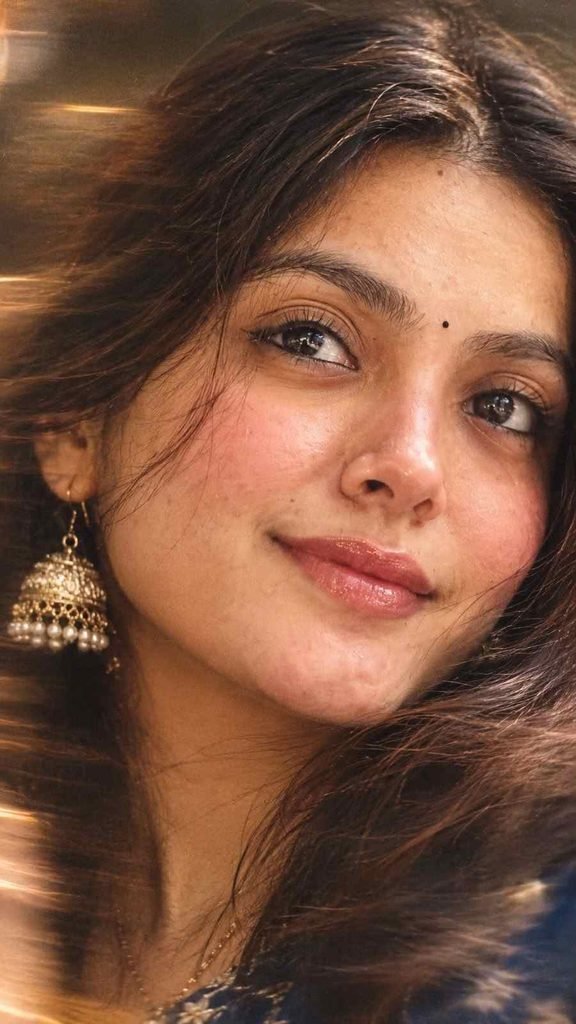
You can copy and paste the following prompt into your preferred image-generation tool:
Create extreme macro close-up portrait of a woman’s face with a gentle, soft smile, looking slightly up. She has soft blush on her cheeks, glossy pink lips, subtle eyeliner, and a small black bindi on her forehead. Her hair is slightly messy. She is wearing a gold jhumka. Add motion blur and filmy grain filter. The lighting is warm aesthetic, highly detailed, photorealistic. 9:16 ratio.
How to Get a More Realistic Result
For a natural-looking result, use a clear reference photo when your image-generation tool supports image references. A front-facing or slightly angled photograph with good facial visibility can help preserve realistic facial proportions.
The macro portrait should keep the face as the main focus. Avoid adding unnecessary objects or complicated backgrounds because they can take attention away from the eyes, lips, bindi, and jewelry and also check prompt replica.
Focus on the Eyes and Facial Details
Since this is an extreme close-up, small details become important. The eyes should remain sharp and naturally detailed, while the surrounding areas can have a subtle softness. The eyeliner should remain delicate rather than overly dramatic.
The soft smile should look natural instead of exaggerated. Keeping the lips glossy with a subtle pink tone can add a polished beauty-photography feel.
Add Warm Cinematic Lighting
Warm lighting can give the portrait a more intimate and aesthetic appearance. A gentle golden glow around the face and hair can work particularly well with the gold jhumka and warm skin tones.
Avoid excessively bright lighting or extreme contrast. The goal is a soft photographic look with realistic skin texture.
Use Motion Blur Carefully
Motion blur should be subtle. It can create the impression that the photograph was captured naturally while the subject or hair was moving slightly.
Too much blur can make the face look distorted, so the eyes, lips, bindi, and major facial features should remain recognizable and reasonably sharp.
Why the Filmy Grain Effect Works
A light film-grain effect can make an AI-generated portrait feel more like a photograph captured with a real camera. Instead of making the image perfectly smooth, the grain introduces a little photographic texture.
For the best result, keep the grain subtle and combine it with natural skin texture rather than applying heavy noise over the entire face.
Using This Prompt in Gemini or Other AI Tools
This gemini prompt can be used with a suitable reference image if you want the generated portrait to maintain a particular appearance. Upload your reference first, then paste the prompt and specify that the reference should guide the person’s appearance while the written prompt controls the styling.
Different image generators may interpret words such as “extreme macro,” “motion blur,” and “filmy grain” differently, so you may need a couple of generations to achieve the exact balance between sharp facial details and dreamy softness.
Create a Natural Social Media Portrait
The 9:16 composition makes this prompt especially suitable for Instagram Stories, Reels covers, Pinterest-style vertical posts, and other mobile-first content.
Keep the face large within the frame while leaving enough space around the hair and jewelry. This helps the gold jhumka, bindi, eyes, and warm lighting remain visually noticeable.
If you’re experimenting with an ai prompt, small changes can significantly affect the final image. For example, adding “natural skin texture” can prevent excessive smoothing, while “soft photographic focus” can produce a more realistic result than simply asking for an ultra-sharp image.
Tips for Better Results
- Use a high-quality reference image when available.
- Keep facial features natural and recognizable.
- Use subtle rather than heavy motion blur.
- Keep the film grain delicate.
- Avoid excessive skin smoothing.
- Maintain realistic hair strands.
- Keep the gold jhumka detailed but natural.
- Use warm lighting without overexposing the face.
- Keep the bindi small and clearly visible.
- Select 9:16 for a vertical social-media-friendly composition.
Final Thoughts
This extreme macro portrait style works well when you want a combination of natural beauty, warm cinematic lighting, subtle film texture, and realistic facial details. The combination of a soft smile, slightly messy hair, gold jhumka, black bindi, and gentle motion blur gives the final image a personal and aesthetic photography feel.
You can also experiment with different reference photos, lighting conditions, and expressions while keeping the overall photographic style consistent. For readers exploring creative image-generation ideas, Prompt Ayesha can be a useful source for discovering more photo-editing and portrait prompt concepts.
Complete Step-by-Step Editing Workflow
- Copy the prompt or preset code using the dedicated copy button above.
- Open your editing tool: Use your preferred AI image or video editing tool.
- Personalize the variables: Adjust the background, clothing, lighting, pose or mood according to your requirements.
- Generate & refine: Generate the image and make additional changes if required.
- Export: Save the final high-quality image for your social media platform.
Prompt Ayesha
The Prompt Ayesha curates practical AI prompts, photo-editing resources, video-editing ideas, and creator-focused tutorials designed to help readers create and edit digital content.