
Ultra-Realistic Mountain Night Photo Editing Prompt
Featured image for: Ultra-Realistic Mountain Night Photo Editing Prompt
Have you ever wanted to turn a normal portrait into a cinematic mountain-night photograph that looks like it was captured during a luxury camping trip? With the right prompt, you can completely change the environment while keeping the original person looking natural and recognizable.
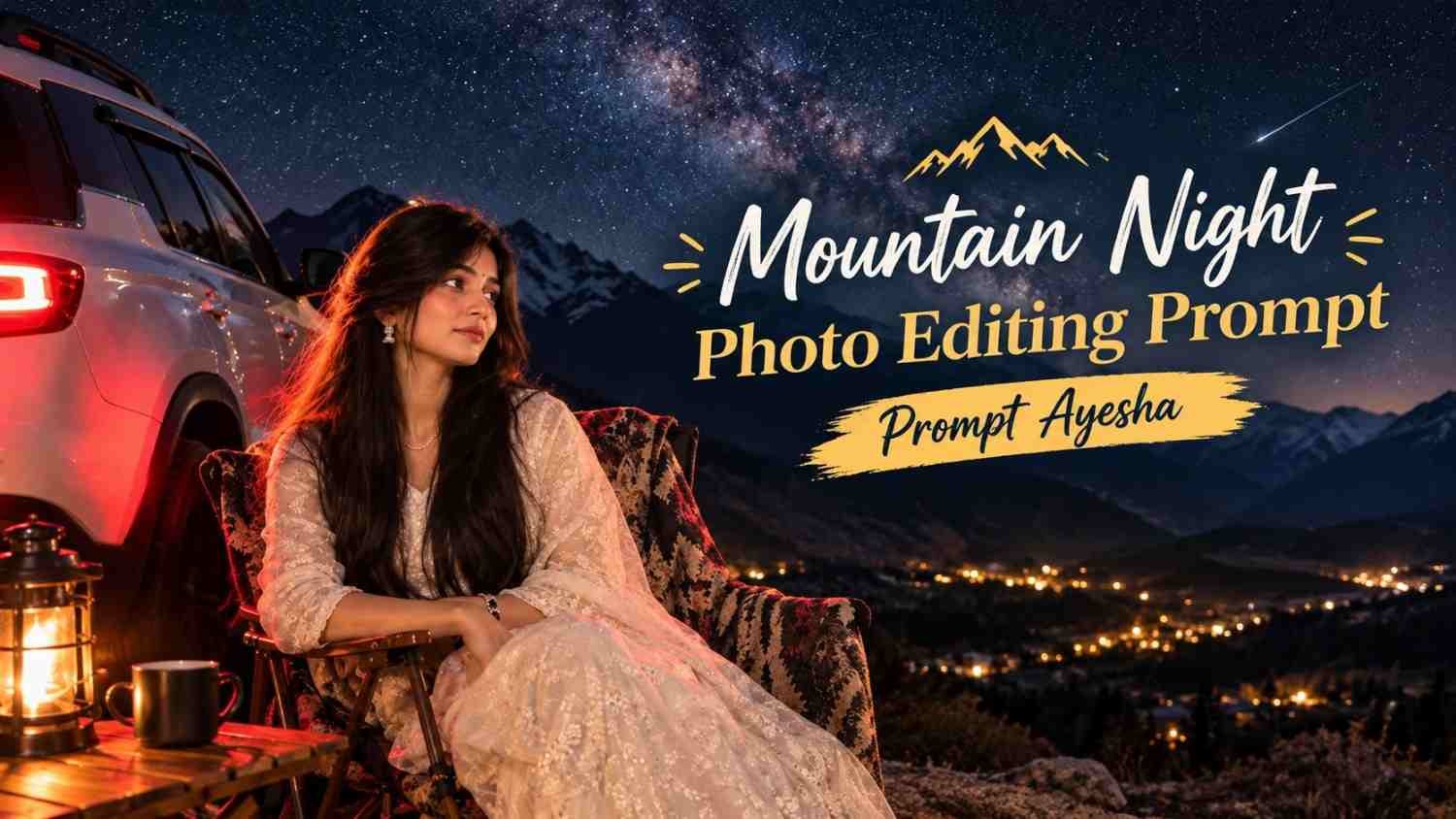
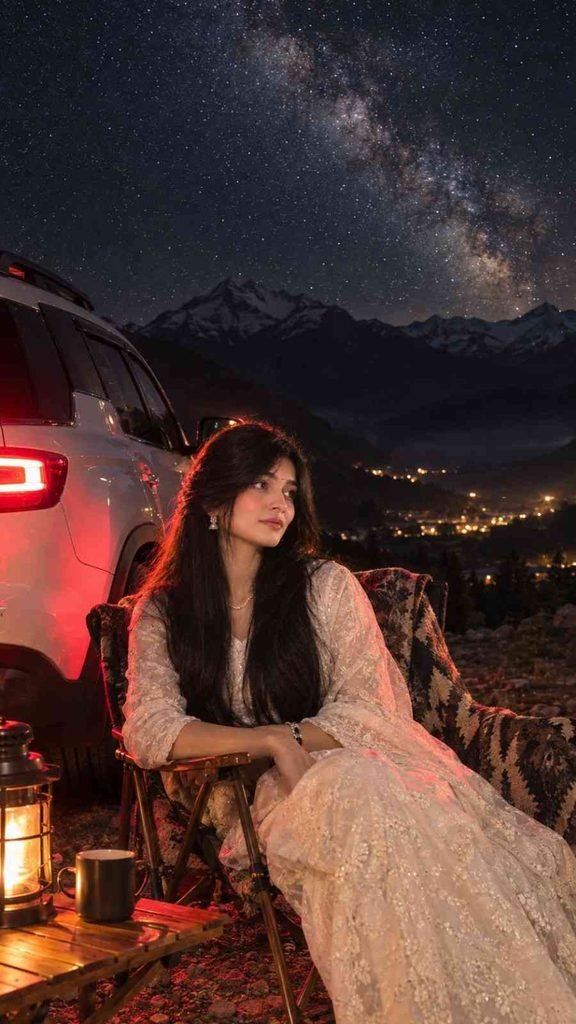
This gemini prompt is designed around a nighttime mountain setting with a white SUV, rustic camping chair, warm lantern light, dramatic red taillights, rocky terrain, distant valley lights, and a detailed Milky Way sky.
The main focus is not simply creating a beautiful background. The prompt also puts strong emphasis on preserving the person’s original identity, clothing, hairstyle, body proportions, pose, and natural appearance.
What Makes This Mountain Photo Look Realistic?
A convincing AI-generated photograph depends heavily on lighting and environmental consistency. Simply placing a person in front of a mountain background can easily make the image look artificial.
This prompt instead combines several different light sources. The red SUV taillights provide dramatic illumination, while the warm lantern creates a softer camping atmosphere. Moonlit surroundings, subtle rim lighting, realistic shadows, and reflections help connect the subject with the environment.
The rocky ground also plays an important role. Small stones and natural reflections from the taillights help make the entire scene feel like one photograph rather than separate elements combined together.
Identity and Outfit Preservation
One of the most important requirements for this type of photo edit is keeping the person recognizable.
The prompt specifically instructs the image generator to preserve the original face, facial features, skin texture, hairstyle, accessories, body shape, proportions, hands, jewelry, pose, and traditional white embroidered outfit.
This is particularly useful when creating an ai prompt for personal photo editing because changing the environment should not mean changing the person.
Natural skin texture is also important. Excessive smoothing or beauty effects can quickly make an otherwise realistic photograph look synthetic. The goal here is to maintain realistic skin pores, natural facial details, and authentic clothing texture.
The Mountain Camping Setup
The scene combines luxury travel photography with a cozy mountain-camping aesthetic.
The person is seated naturally in a premium rustic folding camping chair beside a clean white SUV. A patterned wool blanket adds warmth to the scene without making the composition feel crowded.
A small wooden camping table sits nearby with a warm lantern and coffee mug. These small environmental details make the scene feel lived-in and believable.
The SUV is also an important visual element. Its detailed bodywork, realistic reflections, and glowing red taillights add depth and create a strong cinematic contrast against the dark mountain environment.
Milky Way and Mountain Background
The background is designed to create a dramatic nighttime atmosphere.
A rugged mountain range provides depth, while atmospheric haze separates the foreground from the distant landscape. Warm lights scattered through the mountain valley give the scene a sense of scale and suggest a distant settlement.
Above the mountains, the Milky Way and thousands of stars create the main visual highlight.
However, realistic night photography requires restraint. Stars should not appear excessively bright, oversized, or perfectly arranged. The galaxy should blend naturally into the exposure so it feels like something captured by a professional camera.
The Complete Photo Editing Prompt
For the best results, copy the following prompt without changing its identity-preservation instructions.
How to Get Better Results
For the most natural result, use a clear original photograph where the person’s face and outfit are visible. A high-quality source image generally gives the image generator more visual information to work with.
When using a chatgpt prompt, upload the original photo first and then paste the complete prompt. Make sure the original image is suitable for portrait editing and that important details such as the face, hair, hands, and outfit are not heavily obstructed.
If the first generation changes small facial details, you can regenerate while emphasizing the identity-preservation instructions. It can also help to avoid repeatedly changing the prompt because unnecessary modifications may affect the consistency of the final image.
Why the 9:16 Format Works Well
The vertical 9:16 composition is particularly useful for social media content. It gives enough height to show the person from head to toe while also allowing the mountains and Milky Way to remain visible in the upper portion of the frame.
The SUV and camping setup can occupy the middle and lower sections, creating a natural visual hierarchy.
This format can work especially well for Instagram Reels covers, Stories, Pinterest-style visuals, and other mobile-first content.
Final Thoughts
A strong photo-editing result is about more than adding an impressive background. The face, clothing, lighting, shadows, reflections, and environment all need to work together.
This mountain-night concept combines a cozy camping atmosphere with cinematic travel photography while keeping the original person as the central focus. With the right source image and careful generation, the result can look much closer to a professionally captured nighttime travel photograph.
For more creative photo-editing ideas and ready-to-use prompts, Prompt Ayesha brings together different AI prompt concepts that you can experiment with using your own images.
Complete Step-by-Step Editing Workflow
- Copy the prompt or preset code using the dedicated copy button above.
- Open your editing tool: Use your preferred AI image or video editing tool.
- Personalize the variables: Adjust the background, clothing, lighting, pose or mood according to your requirements.
- Generate & refine: Generate the image and make additional changes if required.
- Export: Save the final high-quality image for your social media platform.
Prompt Ayesha
The Prompt Ayesha curates practical AI prompts, photo-editing resources, video-editing ideas, and creator-focused tutorials designed to help readers create and edit digital content.