Bridal Nail Art Car Selfie Prompt: Blue Nails & Silver Jewellery
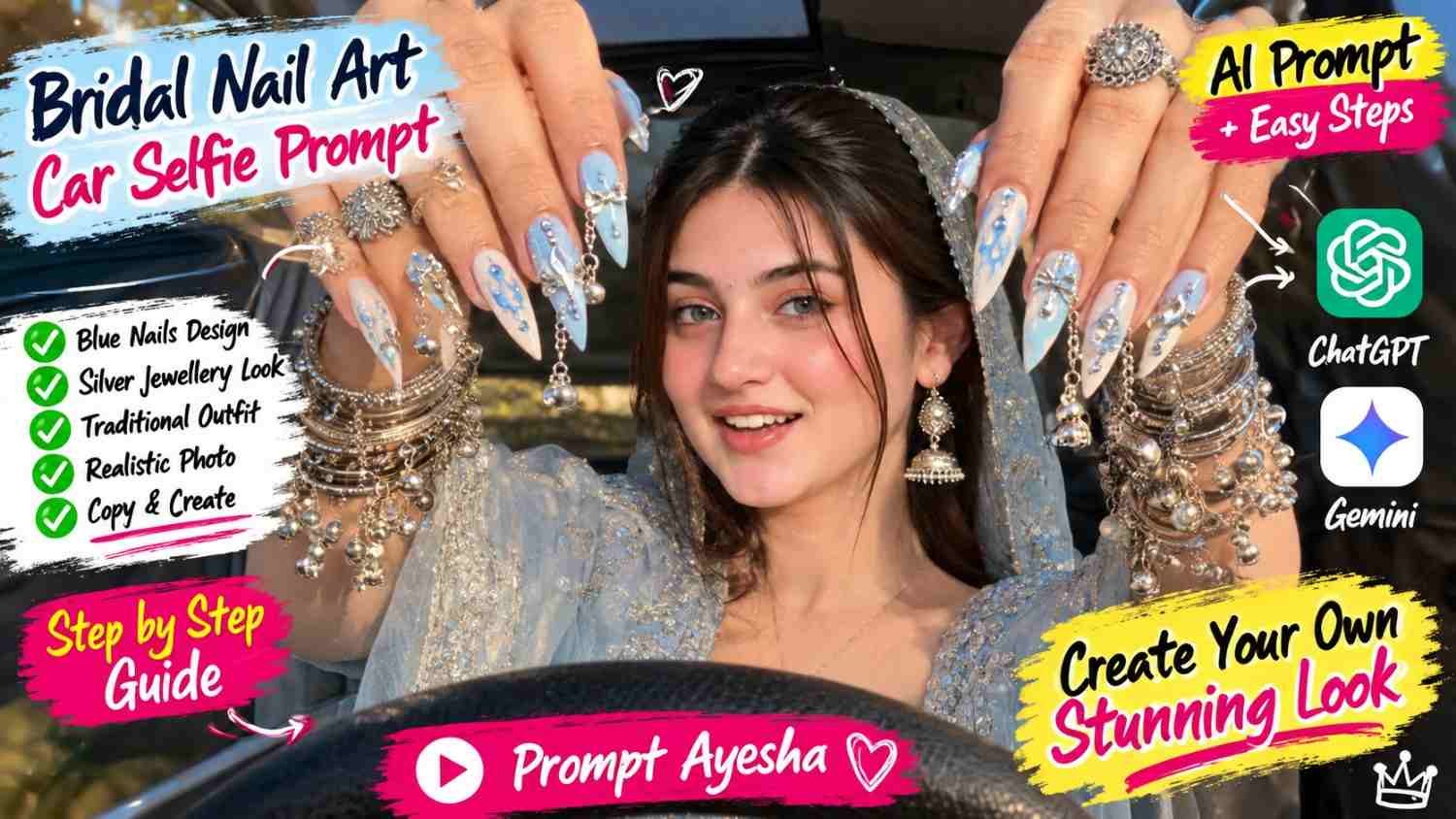
Featured image for: Bridal Nail Art Car Selfie Prompt: Blue Nails & Silver Jewellery
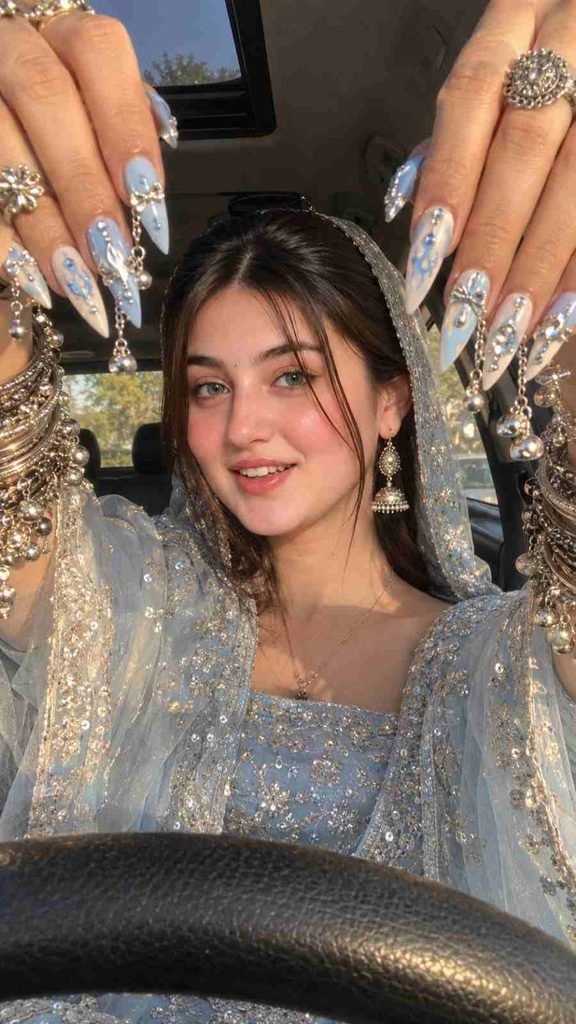
Want to create a stylish car selfie featuring extra-long blue nail art, sparkling silver jewellery and a beautiful traditional outfit? This bridal nail art car selfie prompt at ai prompt helps you create a detailed, photorealistic portrait with both hands raised close to the camera, framing your face against a warm, golden-hour car interior. The look combines intricate nail decorations, traditional accessories and a modern fashion-photography aesthetic.
You can use this idea to create a personal portrait for Instagram, Pinterest, WhatsApp or your photo collection. With the right reference image and carefully written instructions, you can guide an AI image tool towards the composition, colours and styling you want.
What Makes This Bridal Nail Art Car Selfie Unique?
The main attraction is the dramatic difference in perspective between the hands and the face. Both hands appear close to the camera, making the nail extensions, silver charms and rings stand out while the face remains clearly visible in the centre.
Here are the main elements of this look:
- Baby-blue nail art: Long, pointed extensions with pastel-blue and milky-white designs.
- Three-dimensional decorations: Silver bows, rhinestones, tiny chains, chrome pearls and dangling charms.
- Traditional jewellery: Layered oxidized silver bangles, engraved cuffs and statement rings.
- Pastel-blue outfit: An embroidered traditional dress with silver floral details and a matching sheer dupatta.
- Warm lighting: Golden sunlight highlights the skin, fabric and reflective accessories.
- Car selfie composition: A low dashboard-level camera angle with the steering wheel visible at the bottom.
Together, these elements create a fashion portrait that blends traditional Indian styling with a contemporary selfie aesthetic.
Copy and Paste Bridal Nail Art Car Selfie Prompt
Use the following prompt as a starting point. If you want the result to resemble your own appearance, upload a clear reference photograph and choose a tool that supports image references.
AI Image Prompt
Important: This prompt describes a highly detailed visual style. Some image tools may not reproduce every nail charm or chain correctly on the first attempt. Review the hands and jewellery, then request targeted corrections if needed.
How to Generate the Image Step by Step
Step 1: Select a Clear Reference Photo
Choose a well-lit photograph with a clearly visible face. If preserving your appearance is important, avoid heavily filtered or blurry reference images.
Step 2: Open an Image Generation Tool
Choose an AI image generator that accepts reference photos. The available features differ between platforms, so check whether your chosen tool supports identity references and image editing.
Step 3: Upload Your Photo and Add the Prompt
Upload your reference image, paste the complete prompt and select a vertical 9:16 aspect ratio if that option is available.
Step 4: Generate and Inspect the Result
Pay special attention to the hands, nail length, silver decorations, outfit colour and steering wheel. These details can be challenging for image generators, especially when numerous accessories overlap.
Step 5: Refine Small Details
If the nails look too short or the jewellery is missing, ask for a specific correction. For example, request longer pointed nails with visible silver chains while keeping the face, outfit and camera angle unchanged.
When testing a different gemini prompt, keep the central composition consistent so you can compare results without changing too many details at once.
Tips for More Realistic Nail Art and Jewellery
Highly decorated nails can look impressive, but excessive detail can also make generated images appear artificial. These practical adjustments can improve the overall result.
- Describe the nail shape clearly: Specify pointed stiletto nails or long almond-shaped extensions instead of simply saying “long nails.”
- Separate the foreground from the face: Explain that the hands should be closest to the camera while the face remains centred behind them.
- Use specific colour names: Baby blue, milky white and polished silver provide clearer guidance than a general instruction to use pastel colours.
- Keep the face natural: Request realistic skin texture and natural proportions instead of excessive retouching.
- Balance the lighting: Golden sunlight should create reflections without making the jewellery completely white or overexposed.
- Check the accessories: Rings, chains and tiny bells should appear attached to the correct fingers, wrists or nail extensions.
A useful technique is to generate a clean version first and then improve the nail decorations in a follow-up edit. This can be easier than trying to correct every detail simultaneously.
Can You Create This Look for Instagram and Pinterest?
Yes. The vertical format works well for Instagram Stories, Reels covers, Pinterest Pins and WhatsApp Status. You can also create a square crop for a profile picture, although the hands and nail decorations may need to be cropped more tightly.
If you’re using a chatgpt prompt to explore alternative styles, try changing one element at a time. For example, you could keep the icy-blue outfit and silver jewellery while experimenting with pink nail art, pearl decorations or a darker car interior.
For website publishing, give the image a descriptive filename and useful alt text. An example is “baby-blue bridal nail art car selfie with silver jewellery.” This helps describe the image to readers and search engines without adding unnecessary keywords.
If you plan to publish the result commercially, check the image tool’s terms and make sure you have the necessary rights to any reference photos you use.
Final Thoughts
A memorable fashion portrait often comes down to the details: the shape of the nails, the shine of the jewellery, the texture of the outfit and the way the hands frame the face. This concept brings those elements together in a distinctive car selfie with a soft, golden-hour finish.
Start with the prompt, check the generated image carefully and refine only the details that need attention. For more practical tutorials, creative photography ideas and original image prompts, explore Prompt Ayesha and experiment with styles that match your own preferences.
Frequently Asked Questions
1. What is a bridal nail art car selfie prompt?
It is a text description used to guide an AI image tool in creating a car selfie featuring elaborate nail art, jewellery, traditional clothing and a specific camera perspective.
2. Can I use my own face in the generated image?
Yes, if your chosen tool supports reference-image editing or identity guidance. Upload a clear photo and follow the platform’s instructions. Exact identity preservation is not guaranteed.
3. Which nail colours work best for this style?
Baby blue, milky white and silver create a coordinated, elegant appearance. You can also experiment with blush pink, lavender or champagne gold.
4. Why do AI-generated hands sometimes look unnatural?
Hands contain many closely spaced fingers, overlapping accessories and small details. Image models can struggle with these structures, so inspecting the result and requesting targeted edits is useful.
5. Which image ratio should I choose?
A vertical 9:16 ratio is suitable for Stories, mobile wallpapers and many short-form social media designs. Other placements may benefit from a square or landscape crop.
6. Can I change the outfit without changing the nail art?
Yes. Ask the image tool to preserve the hand position, nail design and jewellery while changing only the outfit. Results depend on the tool’s editing capabilities.
7. Is this prompt suitable for beginners?
Yes. Copy the prompt, upload a suitable reference image and follow the tool’s image-generation steps. You can then make small changes based on the result.
Complete Step-by-Step Editing Workflow
- Copy the prompt or preset code using the dedicated copy button above.
- Open your editing tool: Use your preferred AI image or video editing tool.
- Personalize the variables: Adjust the background, clothing, lighting, pose or mood according to your requirements.
- Generate & refine: Generate the image and make additional changes if required.
- Export: Save the final high-quality image for your social media platform.
Prompt Ayesha
The Prompt Ayesha curates practical AI prompts, photo-editing resources, video-editing ideas, and creator-focused tutorials designed to help readers create and edit digital content.