Navratri Car Portrait Prompt for a Stunning 8K Traditional Look
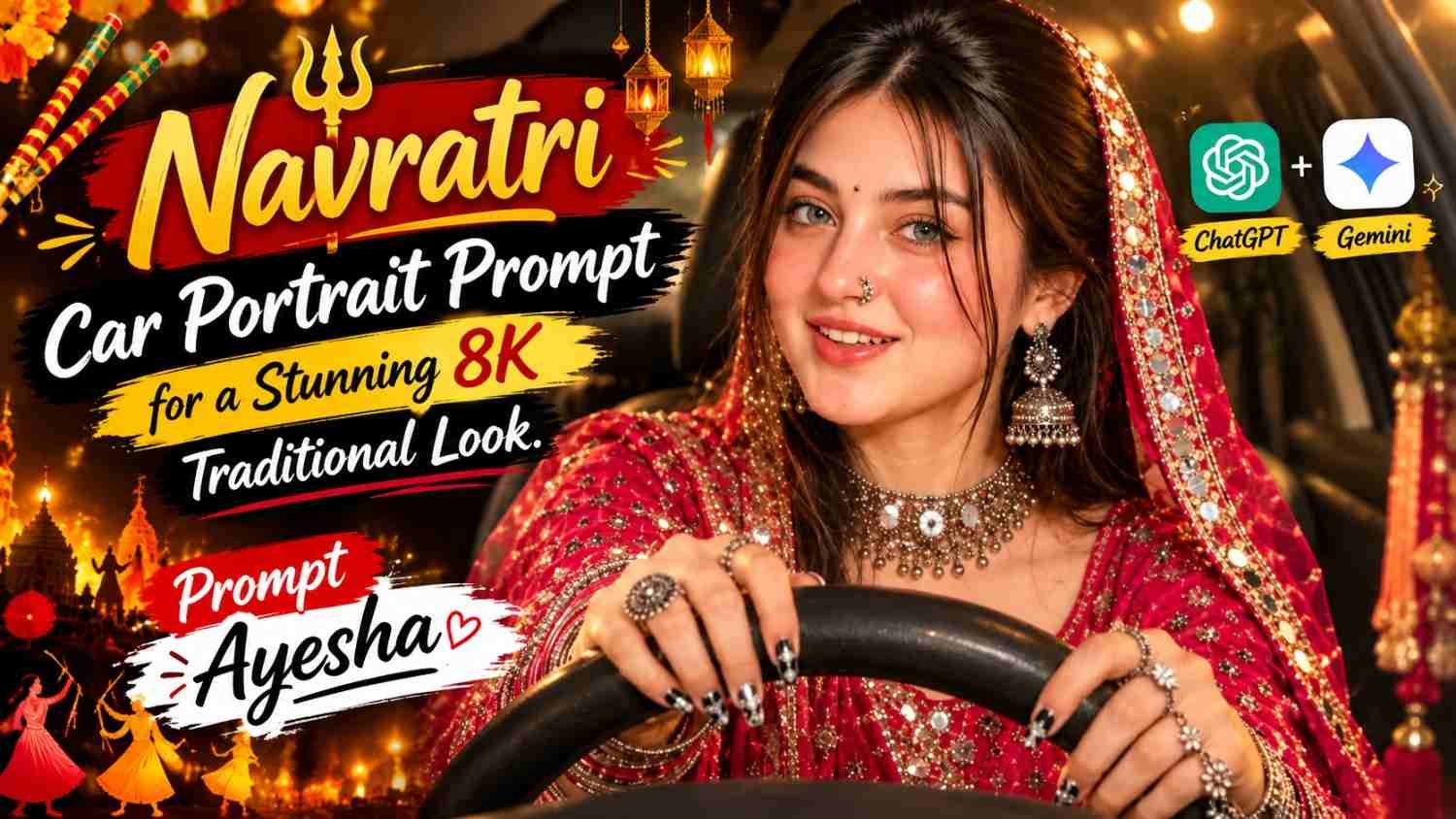
Featured image for: Navratri Car Portrait Prompt for a Stunning 8K Traditional Look
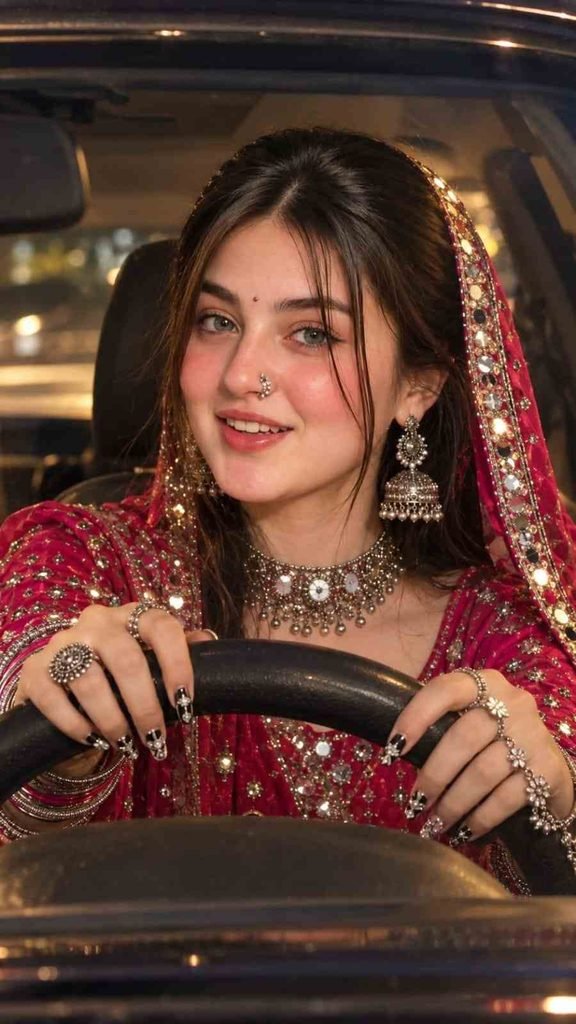
Want to create a beautiful festive photograph with traditional Navratri fashion, sparkling jewellery and a stylish car portrait? This AI prompt can help you create a realistic festive photoshoot featuring a bright pink-red traditional outfit, elegant silver jewellery and detailed Navratri nail art. The Navratri car portrait prompt combines warm cinematic lighting, natural-looking details and traditional Indian fashion to create a stylish portrait for Instagram, WhatsApp and other social media platforms.
You can use the prompt with a suitable AI image-generation or photo-editing tool to create your own festive portrait. Whether you want a picture for Instagram, a WhatsApp profile or a Navratri social media post, this style combines traditional Indian fashion with a modern photography aesthetic.
What Makes This Navratri Car Portrait Special?
The best part of this portrait concept is the combination of festive clothing, traditional accessories and an everyday setting. Instead of using a typical studio background, the woman is seated in the driver’s seat, creating a candid yet elegant composition.
Here are the main visual details that make this style stand out:
- Traditional outfit: A vibrant pink-red Navratri outfit with rich festive colours.
- Statement jewellery: Silver earrings, a necklace, bangles, rings and a traditional nose ring.
- Detailed nail art: Black-and-white Navratri-inspired nail designs with silver mirror embellishments.
- Natural pose: Both hands rest naturally on the steering wheel.
- Cinematic lighting: Warm light creates a festive atmosphere without losing realistic details.
- Portrait composition: A front-facing view through the windshield keeps attention on the face, jewellery and hands.
These details work together to create a festive photograph that feels stylish without needing excessive visual effects.
Copy and Paste Navratri Car Portrait Prompt
Use the following prompt as a starting point for your own image. If you want the result to resemble a particular person, upload a suitable reference photo and select a tool that supports image references.
AI image prompt:
Tip: For a more consistent result, use a clear reference photograph if you want to preserve a person’s facial features. Check the generated hands and jewellery carefully, as AI tools can sometimes produce irregular fingers, rings or small decorative details.
How to Create Your Navratri Portrait
You can follow these simple steps to generate your festive photograph.
Step 1: Choose Your Reference Photo
Select a clear portrait if you want to maintain a particular person’s appearance. A well-lit photo with a visible face generally makes a useful reference.
Step 2: Open an AI Image Tool
Choose an image-generation or photo-editing tool that supports your preferred workflow. Some tools generate an entirely new image, while others can edit an uploaded photograph.
Step 3: Upload Your Image
If the tool supports reference images, upload your chosen photo and follow its instructions for using it as a facial or visual reference.
Step 4: Paste the Prompt
Copy the complete prompt above into the tool. Keep the vertical 9:16 format if you intend to use the result for Reels, Stories or a mobile wallpaper.
Step 5: Review the Result
Check the facial details, steering wheel, outfit, hands, nail art and jewellery. If something looks unnatural, make a small follow-up edit instead of regenerating everything unnecessarily.
Tips for More Realistic Navratri Photos
A strong festive portrait depends on more than resolution. Small details such as lighting, composition and natural skin texture can make the final result look much more convincing.
- Keep the face natural: Avoid instructions that excessively smooth the skin or change facial proportions.
- Use balanced lighting: Warm highlights can complement festive colours, but the face should remain clearly visible.
- Pay attention to the hands: Hands on a steering wheel can be difficult for image models, so inspect finger placement and jewellery.
- Avoid excessive accessories: Too many competing decorative elements can make the portrait look cluttered.
- Choose the right aspect ratio: A vertical 9:16 image works well for mobile-first social media content.
- Refine one detail at a time: If the nail art or jewellery looks incorrect, edit that area while preserving the rest of the composition where possible.
If you’re experimenting with a different gemini prompt, keep the same core description and adjust only the details that need improvement. This makes it easier to compare results across different image tools.
Can You Use This Prompt for Instagram and WhatsApp?
Yes. A vertical festive portrait can work well as an Instagram Reel cover, Story, WhatsApp status or profile picture. For a profile picture, however, consider creating an additional square crop so the face and accessories remain visible when displayed in a circular frame.
You can also use the concept for a festive fashion post or a personal Navratri album. If you publish the image on a website, add a descriptive image filename and meaningful alt text, such as “Navratri car portrait in a pink-red traditional outfit with silver jewellery.”
When creating related content with a chatgpt prompt, focus on offering readers genuinely useful variations, clear instructions and original tips rather than repeating the same description across multiple posts.
Frequently Asked Questions
1. What is a Navratri car portrait prompt?
It is a text description used with an AI image tool to create a festive portrait featuring traditional Navratri fashion, jewellery and a car setting.
2. Can I use my own photo with this prompt?
Yes, if your chosen tool supports image references or photo editing. Upload a suitable image and follow the tool’s instructions. Results may vary between tools.
3. How can I make the portrait look realistic?
Describe natural skin texture, realistic lighting, correct hand placement and believable fabric details. Review the result and refine any obvious errors.
4. Which image ratio is best for Instagram Reels?
A vertical 9:16 image is a useful choice for Reels and Stories. A square crop may work better for a profile picture or some feed layouts.
5. Can I change the outfit colour?
Yes. You can replace the pink-red outfit description with another colour, such as royal blue, emerald green or deep purple, while keeping the rest of the prompt unchanged.
6. Can I use the generated portrait commercially?
That depends on the image tool’s terms, the source photo and any applicable rights involving identifiable people, brands or other protected material. Review the relevant terms before commercial use.
Final Thoughts
A well-written prompt can help you explore traditional fashion photography in a fresh and creative way. This Navratri portrait concept brings together festive colours, detailed jewellery, decorative nail art and warm cinematic lighting in one composition.
Start with the copy-and-paste prompt, make small adjustments to suit your preferred style and check the final image before sharing it. For more creative photography ideas, tutorials and practical prompt guides, explore Prompt Ayesha and build a collection of festive looks that reflect your personal taste.
Complete Step-by-Step Editing Workflow
- Copy the prompt or preset code using the dedicated copy button above.
- Open your editing tool: Use your preferred AI image or video editing tool.
- Personalize the variables: Adjust the background, clothing, lighting, pose or mood according to your requirements.
- Generate & refine: Generate the image and make additional changes if required.
- Export: Save the final high-quality image for your social media platform.
Prompt Ayesha
The Prompt Ayesha curates practical AI prompts, photo-editing resources, video-editing ideas, and creator-focused tutorials designed to help readers create and edit digital content.